Deployments & versions
Keep each round of feedback tied to the prototype your team reviewed. Publish a new version when you want to share changes while keeping the previous round available.
Keep every review round
After installing the CLI, run artor publish without a named-link option to create a new, numbered version.
Version 7 and version 8 have separate links and comments. A normal new publish leaves the
previous version unchanged.
Publishing again to an existing named link can behave differently: see overwrite mode below.
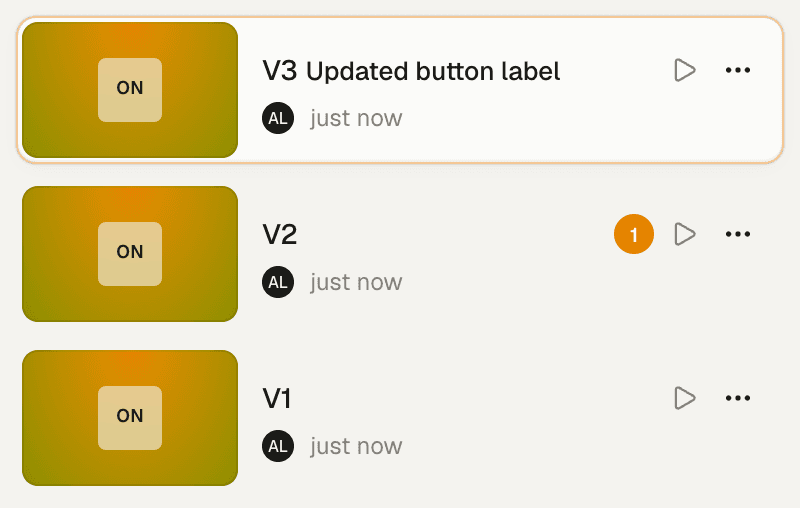
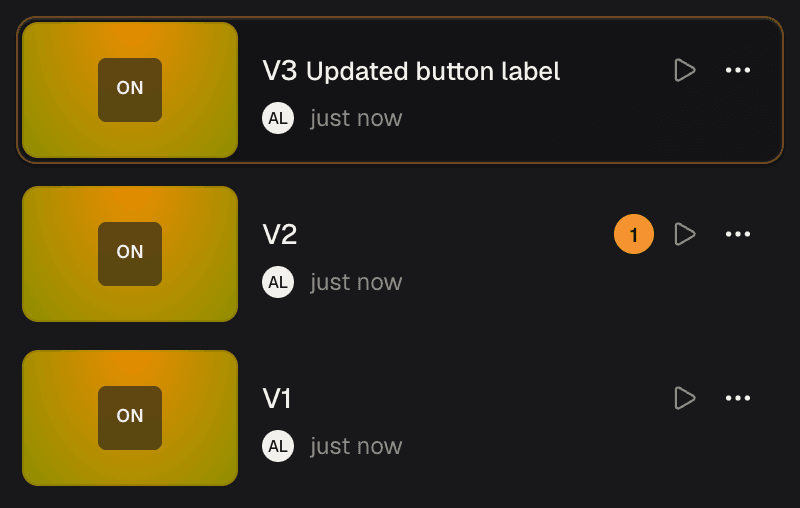
Choose a version to review the feedback left on that round.
Aliases let you say “this is the current one”
An alias is a name for a link, such as latest or for-review:
latestfollows the newest published version automatically.- A version number opens a specific version.
- A custom name lets you keep a link for a particular review or direction.
artor publish                    # create a new version; latest follows it
artor publish --alias for-review # publish to a named link; check overwrite mode below
For public links, choose Pinned for a specific version or Latest to follow new publishes. See Public sharing.
Republishing is fast
Artor reuses unchanged files when you publish again.
Get the source back
You can download a published version’s editable project files to continue working:
artor pullkeeps you linked to the same prototype. Your next publish adds to that project.artor remixcreates a separate prototype you own, leaving the original alone.
Secret files are excluded from the saved source. See Remix, rename & delete and publish size limits.
In the dashboard, Remix latest… on a prototype and Remix this version… on a version give you a ready-to-copy remix command or a prompt for your coding agent. See Remix from the dashboard.
Deleting a version
A version stays available until you delete it. Choose Delete version… in the version’s
··· menu, or run artor rm <prototype> --version <n>. Run it from a linked folder with no
name given and the CLI looks up the prototype’s current name first, so the confirmation names it
correctly even after a rename. Deleting a version is immediate and permanent:
- public links pinned to it stop working; links following the latest version keep working;
- named links on it are removed, whether or not it was the latest;
- if
latestpointed at it,latestmoves to the highest-numbered remaining live version; - its comments are deleted with it.
You can’t delete the prototype’s last live version (delete the prototype instead) or a version that is still publishing. The people who can delete a prototype can also delete one of its versions; see Who can delete for the full rules (Personal Spaces and reviewer seats included) and Delete & recover.
Honest limits
Publishing to an existing name can replace its version. In overwrite mode, running
artor publish --alias for-review again replaces the version that name already points to.
The version number stays the same, and its previous content is lost. Using its numbered link
does not protect it from this replacement. Public links pinned to that version are turned off.
Use plain artor publish to create a new version for each review round.
Overwrite mode is the default for named links. Only the prototype’s owner or an organization admin can replace a version this way. Organizations configured to create a new version for named publishes keep the previous content instead; contact Artor support if you need that setup.
Deleting the highest version frees its number. The next publish takes that number again,
so a bookmarked version address like /checkout/5 then opens the new build. Public links
pinned to the deleted version stay off and never pick up the new one.